Writing

Articles, notes, links, and photos in one place.

Windows 8 and the Microsoft Surface

ignorethecode.net

If you are going to read one review of Microsoft Surface 2, make it this one by Lukas Mathis who is a long-time Mac user.

Another difference between the Surface and an iPad is the Surface’s split screen mode. iPad owners often note that the iPad’s «one app owns the screen» system is a good idea, since people can’t multitask anyway. But that ignores that people often need multiple apps to work on a single task. I can’t count the instances where I’ve used split screen mode just in the last few days. I’m in a meeting, taking notes in OneNote while looking at last week’s meeting notes. I’m responding to an email while looking at a spec. I’m making a drawing while looking at a reference. I’m changing a mockup based on feedback in an email. I’m taking notes during a Skype call.

This is definitely one of my main issues with the iPad as well. Not being able to research something while writing at the same time is a big pain. Pasting the research content into the writing app is a poor way of solving the problem.

What I would like to see is something like what Microsoft have done with Surface, but with an Apple twist. Something in the lines of having a main app which runs in normal iPad mode, and the ability to run a second app in 1/4 of the space in landscape mode. The twist being that the secondary app has to be a multi-platform app, and when bringing it up in secondary mode, its iPhone user interface is shown.

This could fit quite nicely and would be a terrific asset, and I can imagine a lot of use cases where this would be a fantastic way of getting things done.

The problem with Metro might not be that it’s performing badly at its intended function. The problem might simply be that, unlike me, most people don’t want to use their tablets for productivity. They’d rather keep using their old Windows PC for that, and also have an iPad for watching movies and playing games.

This is a valid and fair point. Having the ability to distinctly separate devices for work and play can definitely bring peace of mind and the ability to focus better1.

I personally prefer using the iPad for as many things as possible2, including reading, answering email and using productivity tools such as OmniFocus and the calendar. When in serious “work mode” though, nothing beats the MacBook Air.


  1. Don’t add your work email to your iPad if you only use it for personal tasks and entertainment though. ↩

  2. I do recommend turning off notifications if you plan on using the iPad for work and personal tasks. ↩
OmniFocus 2 for iPhone manual available for free

itunes.apple.com

The Omni group have just released a manual for OmniFocus 2 for iPhone for free in the iBooks Store. I haven’t had the chance to read it yet, but I have a feeling that any seasoned OmniFocus user will not find it especially enlightening.

I do however like the fact that they decided to publish it in the iBooks Store. This means that I will always have it available if needed, without having to resort to keeping it in Dropbox or have a link bookmarked somewhere.

IMDB Top 100K Movies Analysis in Depth

bugra.github.io

Some quite interesting statistics created from the huge IMDb dataset from over 100 000 movies dated from 1950 to 2013.

You can for instance see that drama movies count for almost half of all movies created during that time, and that comedies comes in at second place with 30 percent.

Another interesting statistic is in 2013, when there were twice as many movies created compared to the previous year, and about six times as many as in the 50’s.

If the above link seemed fascinating to you, check out part 2 of the series as well.

Focused distractions

In a world where more than a handful of devices ((I use and receive notifications in my MacBook Air, iPad Mini Retina and iPhone, and I think I'm far from alone with that particular device configuration.)) constantly demand your attention…

Apple releases iOS 7.0.6 fixing a serious SSL/TLS vulnerability

support.apple.com

Information regarding the vulnerability is currently terribly scarce, but judging by the information in the Apple KB, it sounds very serious indeed and would allow man-in-the-middle attacks on SSL/TLS connections.

The problem was apparently found by Roland Moriz when trying to use curl on Mac OS, where it failed to identify a simple Common Name mismatch. (email proof)

What this means in reality is that someone who sits between you and a target site, such as your bank or Facebook, would be able to listen in on your traffic and potentially modify information as it is being sent to the server.

Recovering unRAID

If you have a server running unRAID you will know that it's usually quite stable and simple to use. When things go wrong however, is where you will need some Linux commands at hand to help you get back on track. Given that unRAID is…

Typography in Moon

typesetinthefuture.com

The beautifully typography focused review of Moon makes one look at typography and fonts in an entirely different light. Who knew that those small details make for an incredible difference in perception.

Yes, you heard me right – the filmmakers are foreshadowing upcoming events via the lyrics of a Chesney Hawkes song.

There are lots of hints throughout the movie subtly hinting the inevitable plot twist, such at the wake up song and even the credits for the main character.

All of which is a timely reminder that this frankly awesome sci-fi film was made on a budget the size of a postcard. Which just makes its amazing styling and design all the more impressive. Indeed, Moon is one of my favorite examples of sci-fi storytelling through design – and, to my mind, a worthy successor to Kubrick’s masterpiece.

Definitely see Moon if you haven’t, then read the typography analysis.

A person how did post-production of the movie has written a comment on Hacker News with details and trivia worthy of a read as well.

The view from Netflix’s war room at the launch of ‘House of Cards’

m.theglobeandmail.com

Netflix just launched season two of their popular series House of Cards starring Kevin Spacey. Despite having a Netflix account, I have never actually watched it. But with all the buzz going on these past few days, it’s hard not to get seduced by it, so I’ll probably start with season one soon.

The press have been given a rare opportunity to attend the launch from behind the scenes in Netflix’s war room, so hit the link for the full story.

At the core these rollouts is a highly automated and decentralized system, where if one part breaks down, other backups and redundancies can step in to make sure things keep working.

One of the strengths of using AWS is leveraging their great infrastructure to build something globally redundant and scalable, which would be insanely expensive to do on your own.

Rather than spend resources on huge data centres in each country, it instead relies on Amazon to do so.

This is basic unix philosophy – do one thing well.

Microsoft Rolls Out Smarter Chat Sync For Skype

techcrunch.com

This may sound trivial but Microsoft finally fixing the push notification sync for Skype is a huge improvement and helps me remain sane.

Skype chats are now synced across all your Skype-enabled devices. Besides hopefully clearing up all of those unnecessary alerts, this means you should be able to easily scroll back on your mobile phone to see the chats you had on your laptop earlier that day.

I hope this means that I can finally have Skype enabled on my iPhone while talking on the Mac without draining the phone battery in minutes.

Alleged iPhone 6 Prototype Depicted in New Images

macrumors.com

While I’m usually not the one frolicking over the latest Apple rumors, but images of a possible iPhone 6 have appeared online, and boy does it look sweet!

The bezel is all but gone on the sides and sports a slightly larger screen than the older phones.

Early morning productivity tips from Forbes

forbes.com

Great tips on an early-bird morning routine from Forbes. It’s easier than you think getting up just a bit earlier in the morning to either exercise, plan out your day or just have a relaxing breakfast.

I have started waking up at 6:30 to do a bit of exercise, have a look through OmniFocus and read the morning paper while eating breakfast. By the time I step into the office, I am already on top on what needs to be done.

Maximize your potential by mapping out your schedule for the day, as well as your goals and to dos. The morning is a good time for this as it is often one of the only quiet times a person gets throughout the day. The early hours foster easier reflection that helps when prioritizing your activities. They also allow for uninterrupted problem solving when trying to fit everything into your timetable.

There is something special about morning time and productivity. The stillness and the lack if interruptions make it a perfect time to to get some focused efforts in terms of important next actions.

We all have that one item on our to do list that we dread. It looms over you all day (or week) until you finally suck it up and do it after much procrastination. Here’s an easy tip to save yourself the stress – do that least desirable task on your list first. Instead of anticipating the unpleasantness of it from first coffee through your lunch break, get it out of the way.

Since you have to do the boring parts any way, why don’t just get them out of the way? I find the best time to do them is in the morning when I still have that energy and focus.

Rands on Context Reports

randsinrepose.com

A great way of thinking about status reports. Instead of focusing on the “how”, adding context as of “why” something was done adds true value.

A status report documents actions both completed and planned. A context report documents the reason why (and to a lesser extent how) you’re completing these actions and I suspect this information is far more useful to everyone involved.

Easy, yet utterly effective in theory.

Flickr Turns 10: The Photo-Sharing Site’s Rise, Fall and Revival

techland.time.com

It’s hard to imagine an internet without Flickr, but 10 years ago was the first time the service saw the day of light.

Earlier photo sites were mostly concerned with letting you put your pictures in front of friends and family. Flickr did that, too. But from the start, it was building a community of photo lovers around the world who wanted to share images with other photo lovers, as well as thousands of special interest sub-communities. It was about storytelling.

Through thick and thin, the community has always been one of Flickr’s primary strengths. There is an insane amount of groups catering to every nuance of photography to the intricate details of architecture and the joy of snapping that perfect family photo.

According to Spiering, today’s Flickr has more than 10 billion photos (vs. more than 250 billion on Facebook — but who ever said quantity trumps quality?). It hosts 1.8 million groups, which are being joined by 50,000 new members a day.

Stats like this really put things in perspective and it says something about the serious infrastructure and engineering that stands behind the site.

I have been a pro member for years and enjoy the automatic uploading of photos through the Flickr iOS app on a daily basis. Together with Flickring I can instantly access any photo I have ever taken with my iPhone and my regular camera. It is perfect as a replacement or in combination with iCloud.

Gust is Ghost for WordPress

wordpress.org

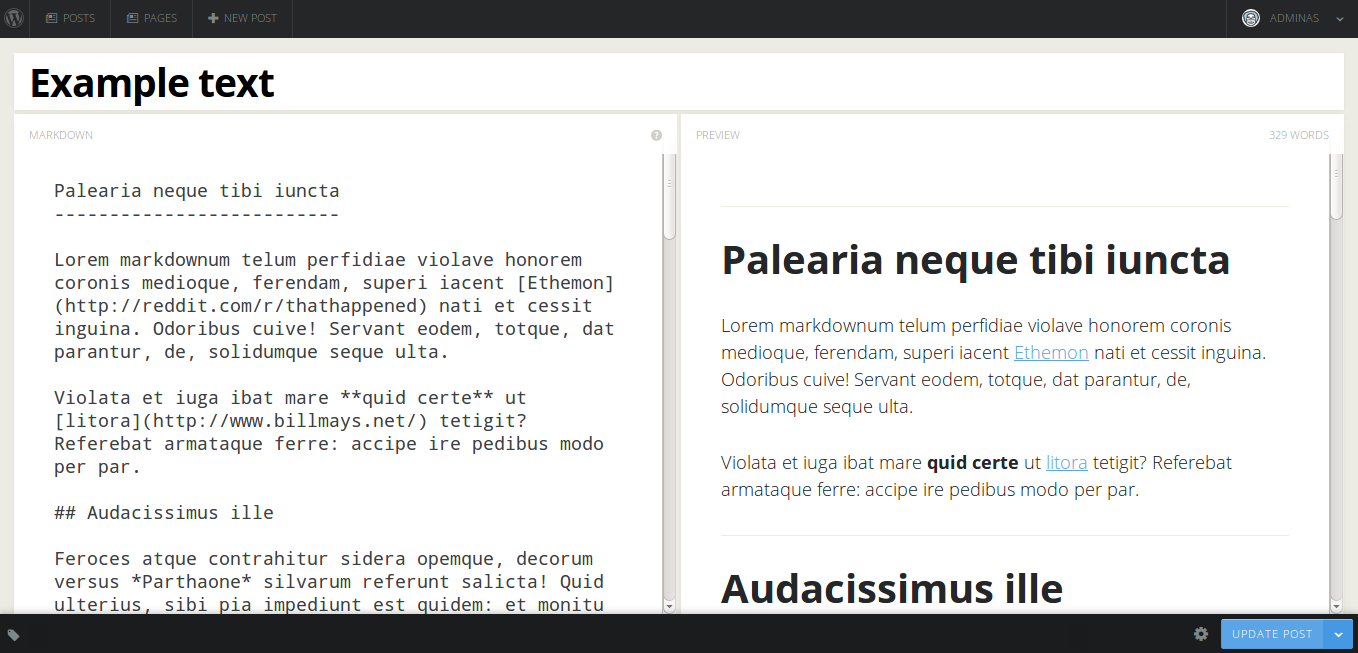
Ghost is a recently released blogging platform based on Node.js and probably a direct competitor to established platforms such as Medium.

screenshot-2

According to the author of Gust, Ghost was in its conception thought to be a WordPress plugin but morphed into an entity of its own, and this is where Gust comes in.

At the begining, Ghost was supposed to be a fork of WordPress. Then there was a talk of a plugin, that would give a next-generation admin panel for WordPress. But in the process it became a new blogging platform, built on Node.js. This plugin is an attempt to bring the nice and clean admin panel of Ghost back to the WordPress ecosystem.

I gave it a go in my test WordPress installation and I am really impressed by it, given its early stage in the development process. Just a couple of iterations more adding support for featured image, post format and custom fields, and I could probably use it.

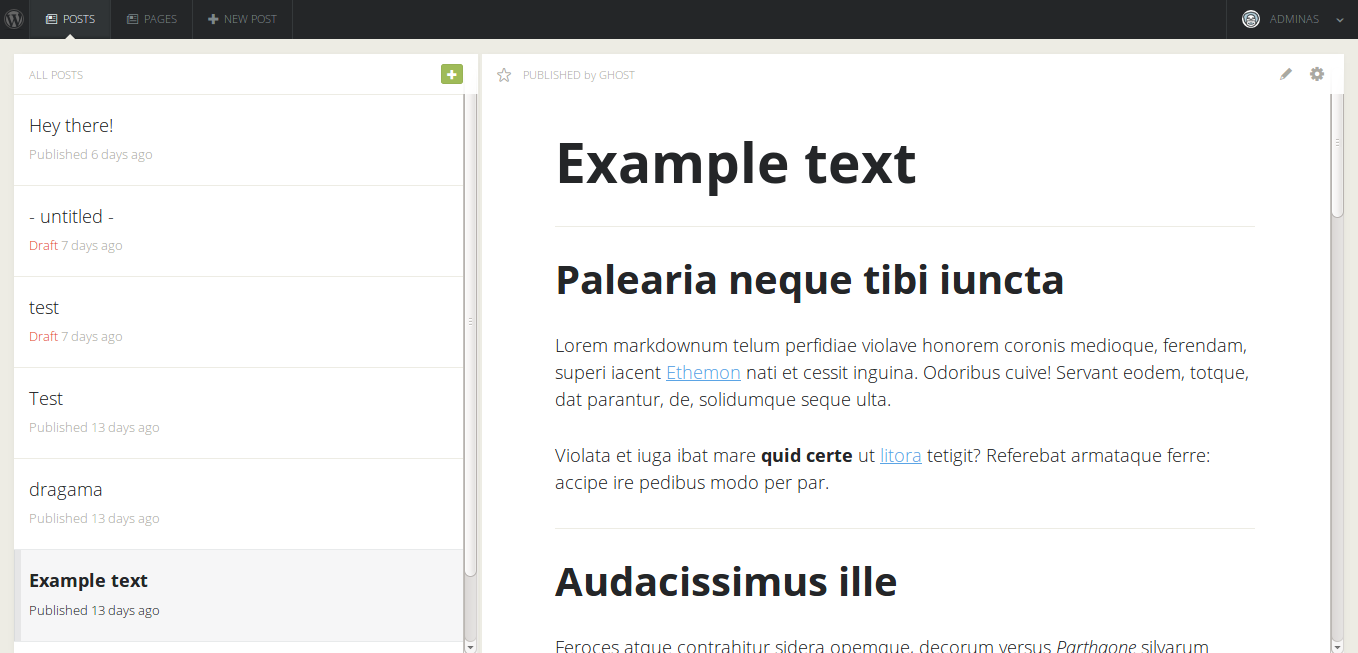
screenshot-3

Its strengths lie in the realtime Markdown preview pane, which works really well. It currently doesn’t reflect the current website theme though, which may or may not be an issue.

Unread for iPhone Review

Ever since the immensely missed Google Reader service shut down last year, everyone seem to have been scurrying around trying to find a viable alternative. I settled for Feedly , exclusively using their iOS apps. Being an avid RSS user and…

Confessions of an ex-TSA Agent

politico.com

A story about the goings on behind the curtains of the TSA officers.

Most TSA officers I talked to told me they felt the agency’s day-to-day operations represented an abuse of public trust and funds.

Even though many were blindly taking orders, most people seem to in fact be normal thinking people.

Most of us knew the directives were questionable, but orders were orders. And in practice, officers with common sense were able to cut corners on the most absurd rules, provided supervisors or managers weren’t looking.

How I Lost My $50,000 Twitter Username

medium.com

This is some seriously scary stuff.

It’s hard to decide what’s more shocking, the fact that PayPal gave the attacker the last four digits of my credit card number over the phone, or that GoDaddy accepted it as verification.

Social engineering has been done since the beginning of time. Giving out credit card information, regardless of who is asking for it should just not be done. Since it has the powers to be used as a password substitute, it should be treated in the same manner.

Using two-factor authentication is a must. It’s probably what prevented the attacker from logging into my PayPal account. Though this situation illustrates that even two-factor authentication doesn’t help for everything.

There is no reason to not use two-factor authentication these days. Do however take note1 of all sites using two-factor auth connected to your phone , in case you need to change the phone number in the future2.


  1. I use a tag in 1Password for all sites requiring two-factor authentication. ↩

  2. This happened to me a while ago (a story for another day), which has lead me to always make it a conscious decision when entering my phone number on a website. I keep track of websites having my phone number using a tag in 1Password. ↩

How to use Gmail more efficiently using stars and multiple inboxes

klinger.io

Andreas Klinger describes an interesting approach to managing your Gmail inbox using a combination of the principles of Inbox Zero and GTD.

Without using any plugins, messages can easily be marked as having different statuses using custom stars while still having a good overview from the main Gmail view. The basic premise:

  • An easy to manage, usually empty inbox on the left
  • All “todos” in the first box
  • All emails “awaiting a reply” in the second
  • All “delegated” emails in the third
  • All emails related to meetings, flights, etc easy to find in the fourth
  • All done with 0 plugins, using only standard gmail features

There is just one thing keeping me from adopting this technique – I rarely use the normal Gmail interface, instead relying on apps such as Mailbox and AirMail. Not being able to use the entire workflow regardless of device will just make me not use it at all.

A lifesaver for me has been the OmniFocus Mail Drop service together with OmniFocus for keeping track of todos and waiting fors, but that is a post on its own.