All writing

FROM THE NOTEBOOK

OmniFocus

A collection of notes on omnifocus.

OmniFocus Workflow Q&A

One of the cornerstones of Getting Things Done is getting anything on your mind down to a trusted system. While this may sound simple in theory, how to actually handle different scenarios can be quite tricky. Following the post on The 2016…

Working with OmniFocus

workingwithomnifocus.com

Joe Buhlig has, with his vast experience in using OmniFocus, put together a comprehensive and complete set of guides for getting the most value out of OmniFocus and GTD in a series of well-produced videos in a course called Working with OmniFocus. Everything from the basic setup to explaining an advanced workflow is thoroughly covered in an easily digestible video format.

Using Joe’s system and his down-to-earth way of describing his setup and workflow, these guides provide a solid foundation from which to build your very own productivity setup in OmniFocus. It’s a solid investment for becoming a master of productivity and efficiency, and it will take your life to the next level.

Check out Working with OmniFocus.

Learn OmniFocus Webinar

I recently did a walkthrough of my OmniFocus setup on Learn OmniFocus . The webinar was recorded and is available right here. Be sure to check out the show notes for the apps and other links that I talked about during the webinar.

The 2016 OmniFocus Setup and Workflow

I have written countless posts on OmniFocus and the Getting Things Done methodology, but this is the very first time I have gathered my entire workflow and setup into a single piece. Since my GTD setup is an ever evolving organism, this…

Referencing external tasks in OmniFocus

Getting Things Done provides an excellent framework for managing all aspects of your life. What could easily happen in a professional work environment though, is that there is already an existing tool in place to keep track of tasks for…

OmniFocus 2 for Mac: Available Now

omnigroup.com

The time has finally come to unveil the newest incarnation of the productivity powerhouse called OmniFocus. The user interface has been remade from the ground up, getting inspiration from the iOS counterparts, most notably the forecast view.

I’m looking forward to see whether anything has changed from the recent line of betas. I’m in particular looking for a faster perspective change, and a small nitpick regarding the highlighted flag perspective1.


  1. The flagged highlight should in my opinion follow the view options and not highlight the flagged perspective if the flagged actions are not available. ↩

Inside OmniFocus

inside.omnifocus.com

Just hours before the official release of OmniFocus 2, The Omni Group launched a new website focusing on OmniFocus and its may workflows. I’m looking forward to reading how people use OmniFocus 2, and what the new version will mean with regards to my own workflow.

I have already written about my initial thoughts of the beta, and it will be interesting to see whether the final version will differ in any way in regards to performance and polish.

A Visual History of OmniFocus for Mac

shawnblanc.net

Shawn Blanc provides some insight into the history of OmniFocus and how it all started, complete with screenshots.

What is more interesting is that the visual UI has virtually been the same for the past six years. Even though it has started to look somewhat dated lately, it has been fully functional and enough aesthetically pleasing to still be the go-to GTD tool.

OmniFocus 2 beta - initial impressions

I have been fortunate enough to have been given the opportunity to try out the new OmniFocus 2 beta which was released a few days ago. I have been using it intimately since the release, and it has of course given me some impressions as to…

OmniFocus 2 for Mac resumes testing, will ship in June

omnigroup.com

The Omni Group just announced that they have resumed public testing of OmniFocus 2. If you already have an account from the previous test builds, you can reuse those credentials to download the new version.

We’re thrilled to resume the OmniFocus 2 Test today! We’ll ship it in June: http://t.co/jkwmMVnbuZ

— OmniFocus (@OmniFocus) March 26, 2014

View original source

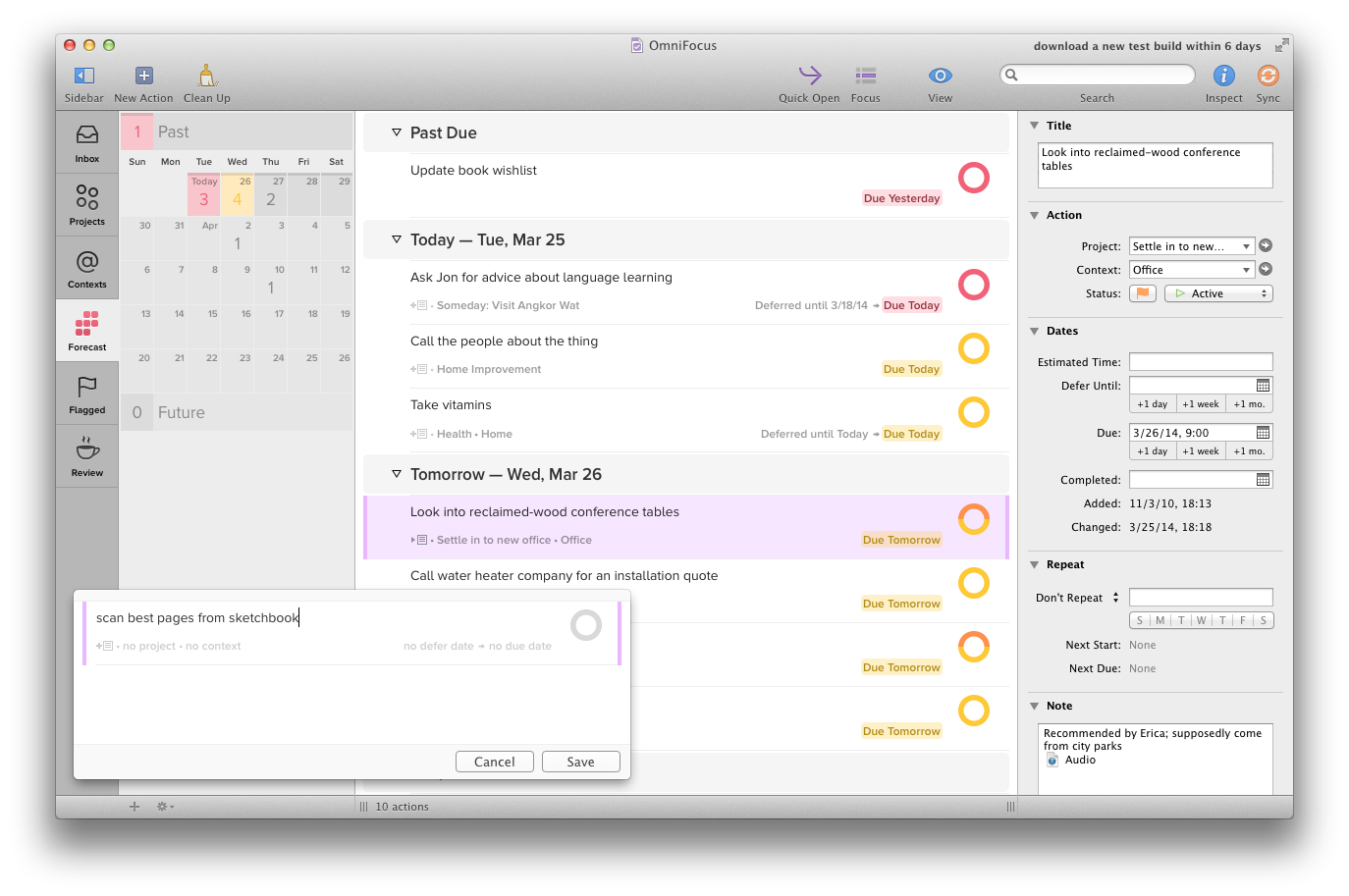
After having started the application for the first time, things look quite different from the last test. I will dive into the new features and give my two cents as I test the new builds.

OmniFocus-2-ships-in-June

What the new Omnifocus 2 beta currently looks like

OmniFocus 2 for iPhone manual available for free

itunes.apple.com

The Omni group have just released a manual for OmniFocus 2 for iPhone for free in the iBooks Store. I haven’t had the chance to read it yet, but I have a feeling that any seasoned OmniFocus user will not find it especially enlightening.

I do however like the fact that they decided to publish it in the iBooks Store. This means that I will always have it available if needed, without having to resort to keeping it in Dropbox or have a link bookmarked somewhere.

How to use Gmail more efficiently using stars and multiple inboxes

klinger.io

Andreas Klinger describes an interesting approach to managing your Gmail inbox using a combination of the principles of Inbox Zero and GTD.

Without using any plugins, messages can easily be marked as having different statuses using custom stars while still having a good overview from the main Gmail view. The basic premise:

  • An easy to manage, usually empty inbox on the left
  • All “todos” in the first box
  • All emails “awaiting a reply” in the second
  • All “delegated” emails in the third
  • All emails related to meetings, flights, etc easy to find in the fourth
  • All done with 0 plugins, using only standard gmail features

There is just one thing keeping me from adopting this technique – I rarely use the normal Gmail interface, instead relying on apps such as Mailbox and AirMail. Not being able to use the entire workflow regardless of device will just make me not use it at all.

A lifesaver for me has been the OmniFocus Mail Drop service together with OmniFocus for keeping track of todos and waiting fors, but that is a post on its own.

Using Considered tasks in OmniFocus

usingomnifocus.com

Since OmniFocus doesn’t have a muffle option for repeating tasks, ticking off undone tasks has become a necessity. Kourosh Dini has an elegant solution relying on the way you think about the tasks, and the keyword is “consider”.

Writing “Consider” before a task is very easy to do. It almost seems to be a gimmick or “cheat” potentially fraught with thorns of procrastination.

It does however keep the OmniFocus history more honest, even though you would still not know which ticked off actions were in fact really done.

Tracking habits using Omnifocus

I was recently introduced to an iOS application called Lift , which helps you achieve new habits in a social fashion. Enter the habits you wish to track and when completing a habit for the day, just mark it as done to see it disappear only…

The OmniFocus Mail Drop

macsparky.com

We call this new feature the “OmniFocus Mail Drop”. Unlike previous mail-processing features, we wanted a method that wouldn’t require any of your devices to be present in order to add items to OmniFocus, we wanted to add the much-requested better attachment support, and we wanted to reduce the amount of extra work you had to do in order to get your items into OmniFocus as much as possible.

This has the potential to completely change how we deal with the inbox in Omnifocus. There is more information in the official thread, including instructions for signing up for the service.

Thoughts on OmniFocus

There are plenty of applications out there claiming to end the chaos and make sense of everything. One of the schools is GTD , which focuses on next-actions and context. This makes a lot of sense in my opinion, and I have been trying to…

Going from Things to Omnifocus

I have been a heavy Things users since the beginning, but there have always been certain features that I have found lacking, such as sub-projects and a distinction between areas of focus. Omnifocus has had all necessary features since I…